In short
Google says local results depend on three things: relevance (how well you match the search), distance (how close you are) and prominence (how well known you are). This checklist covers every part you can control, in order: your Google Business Profile first, then your website, your business details across the web, reviews, local content and tracking.
The “map pack” is the box of three businesses with a map that Google shows for searches like “plumber near me” or “hairdresser in Bolton”. For local businesses it is often the most valuable spot on the page, because people looking there are ready to call.
Google is open about how it picks those three businesses. Its own help pages say local results are based mainly on relevance, distance and prominence. You cannot move your premises closer to every customer, but you can do a lot about the other two. This checklist shows you how.
Part 1: Your Google Business Profile (steps 1 to 8)
Your Business Profile is what appears in the map pack, so it comes first.
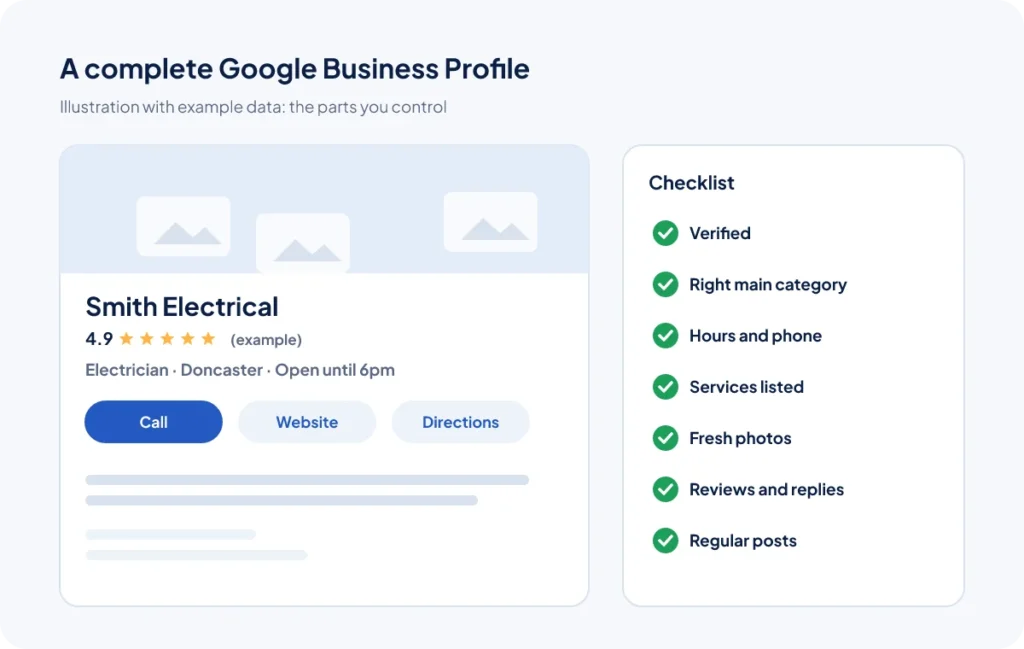
- Claim and verify your profile. Google says verified businesses are more likely to show in results. If you have never done this, start at Google Business Profile and follow the verification steps.
- Use your real business name. Do not add keywords or town names that are not part of your actual name. It breaks Google’s guidelines and can get your profile suspended.
- Choose the right primary category. This is one of the strongest signals you control. Pick the category that best describes your main service (“Electrician”, not “Contractor”), then add a few accurate secondary ones.
- Set your address or service area correctly. If customers visit you, show your address. If you travel to them, set a service area and hide the address.
- Add your opening hours, phone number and website. Keep them accurate, including bank holidays.
- List your services. Add each service with a short description in plain English. This helps Google match you to more searches.
- Add real photos regularly. Your team, your van, your premises, finished jobs. Google lists photos and videos as one of the ways to improve your profile.
- Post updates. Share offers, news and recent work. It shows customers (and Google) that you are active.
If your profile is not appearing at all, read Google Business Profile not showing on Maps? 12 reasons and fixes.
Part 2: Your website (steps 9 to 15)
Google uses your website to understand what you do and where. A strong website also turns visitors into enquiries.
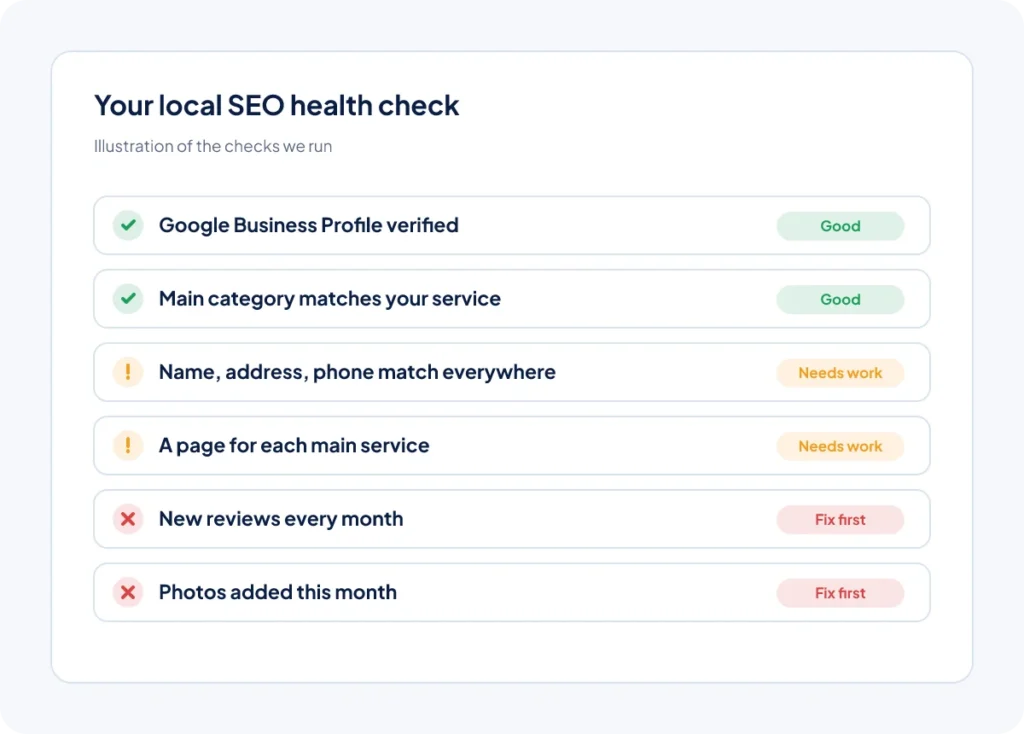
- Make one page for each main service. A single “Services” page listing everything is much weaker than a separate page for each one.
- Make pages for the areas you serve. If you cover several towns, a genuinely useful page for each (with local details, not just the town name swapped) helps you show up there.
- Put your service and town in your page titles. For example: “Boiler Repair in Doncaster | Smith Heating”. Titles are what people see in search results.
- Show your name, address and phone number on every page. Usually in the footer, matching your Business Profile exactly.
- Make it fast and easy on a phone. Most local searches happen on mobile. Big buttons, a tap-to-call number and quick loading all matter.
- Add LocalBusiness schema. This is code that tells search engines your business type, address, hours and contact details in a format they read easily.
- Make it easy to get in touch. A short form, a clear phone number and a booking link on every page. Rankings only matter if people contact you.
Part 3: Your business details across the web (steps 16 to 18)
These listings are often called “citations”. They help Google trust that your business is real and where you say it is.
- Keep your name, address and phone number identical everywhere. “Ltd” in one place and not another, an old phone number, or a previous address all cause confusion.
- List your business on the main directories. Apple Maps, Bing Places, Yell, Facebook and the best-known sites for your trade.
- Remove or merge duplicate listings. Duplicates split your reviews and confuse search engines.
Part 4: Reviews (steps 19 to 21)
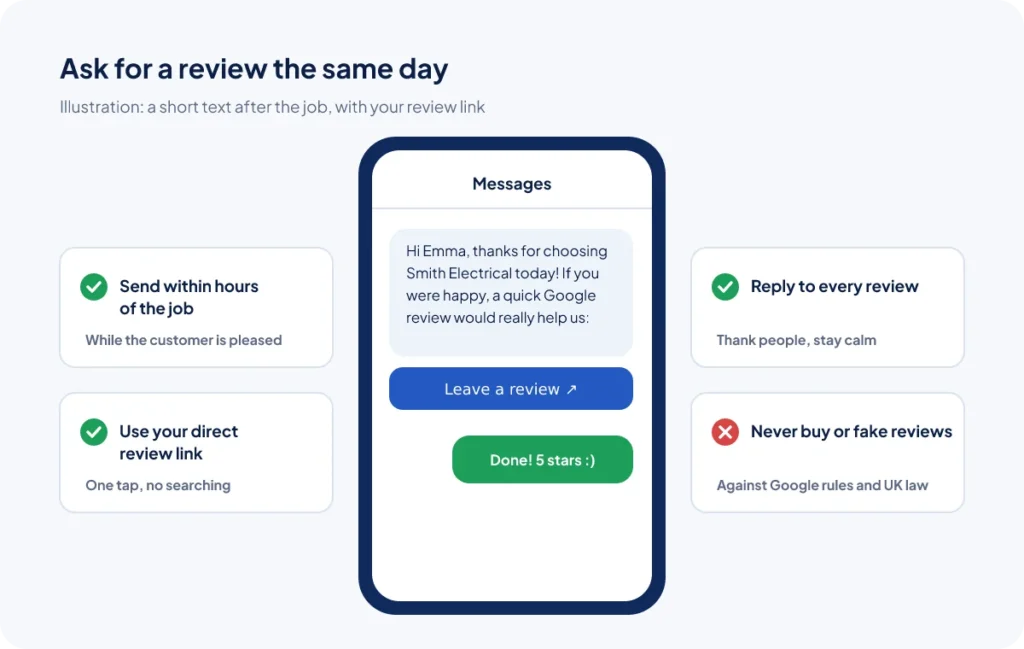
Google names reviews as part of prominence. They also help customers choose you over the business next to you in the map.
- Ask every happy customer for a Google review. Send your review link by text or email straight after the job, while they are pleased. A steady flow is better than a burst.
- Reply to every review. Thank people for good ones. Reply calmly and helpfully to bad ones. Google recommends responding to reviews.
- Never buy or fake reviews. It breaks Google’s rules and UK consumer law, and fake reviews can be removed along with your hard-earned real ones.
Part 5: Local content and links (steps 22 to 24)
- Write helpful content for local customers. Answer the questions people ask before they buy: costs, timescales, what to expect. It builds trust and brings in searches.
- Earn local links. Sponsor a local team, join your trade association or chamber of commerce, work with suppliers. Links from real local websites are worth far more than bulk links.
- Get mentioned in local news and community sites. A finished project, a charity day or a new hire can all be stories.
Part 6: Track your results (step 25)
- Measure calls and enquiries, not just rankings. Use Google Search Console for search data, your Business Profile insights for calls and direction requests, and Google Analytics for form fills. Check once a month.
How long does it take? Fixing your profile and website can make a difference within weeks. Reviews, content and links build up over months. Most businesses see the clearest results after six to twelve months of steady work.
Common local SEO mistakes
- Stuffing keywords into the business name on Google.
- Using a virtual office or PO box as your address (Google does not allow it).
- Copying the same location page for every town and only changing the name.
- Forgetting to update hours, phone numbers or addresses after a change.
- Getting reviews in one big burst, then nothing for months.
Want help with your local SEO?
This checklist is exactly what we work through for our clients. Our local SEO service covers your Google Business Profile, your website, your listings and your reviews, with a clear report each month. We work with businesses across the UK, including Doncaster, Bradford, Bolton and Newcastle.
If you get lots of enquiries but struggle to keep up with them, our CRM, Lidora, sends review requests and missed-call texts for you.
Get a free local SEO check
We will check your Google Business Profile, your website and your local competitors, and send you a free proposal showing what to fix first.
Frequently asked questions
What is the Google map pack?
It is the box of usually three local businesses, with a map, that Google shows for searches with local intent such as “electrician near me” or “dentist in Luton”. Businesses in it tend to get many more calls than those further down.
What decides who shows in the map pack?
Google says local results are based mainly on relevance (how well your profile matches the search), distance (how far you are from the person searching) and prominence (how well known your business is, including reviews and links).
Can I pay Google to rank higher in the map pack?
No. Google says you cannot pay for a better local ranking. You can pay for ads, which appear in a separate, labelled spot.
How many reviews do I need to rank in the map pack?
There is no magic number. What helps is a steady flow of genuine reviews over time, ideally more recent reviews than your nearest competitors, with replies from you.
Do I need a website to rank on Google Maps?
You can appear without one, but a good website helps Google understand your services and areas, and it gives customers a reason to choose you. Most businesses in the map pack have a website linked to their profile.