In short
First, check what kind of search you are doing. If your profile shows when you search your exact business name but not for “your service near me”, the profile is working; it just is not ranking yet. If it does not show even for your name, the cause is usually verification, a suspension, a duplicate listing or a recent edit under review. The 12 reasons below cover both cases.
Few things are more frustrating than setting up your Google Business Profile, telling customers to look you up, and then hearing “I couldn’t find you”. The good news is that the cause is almost always one of a short list of problems, and most of them can be fixed.
First: what does “not showing” mean for you?
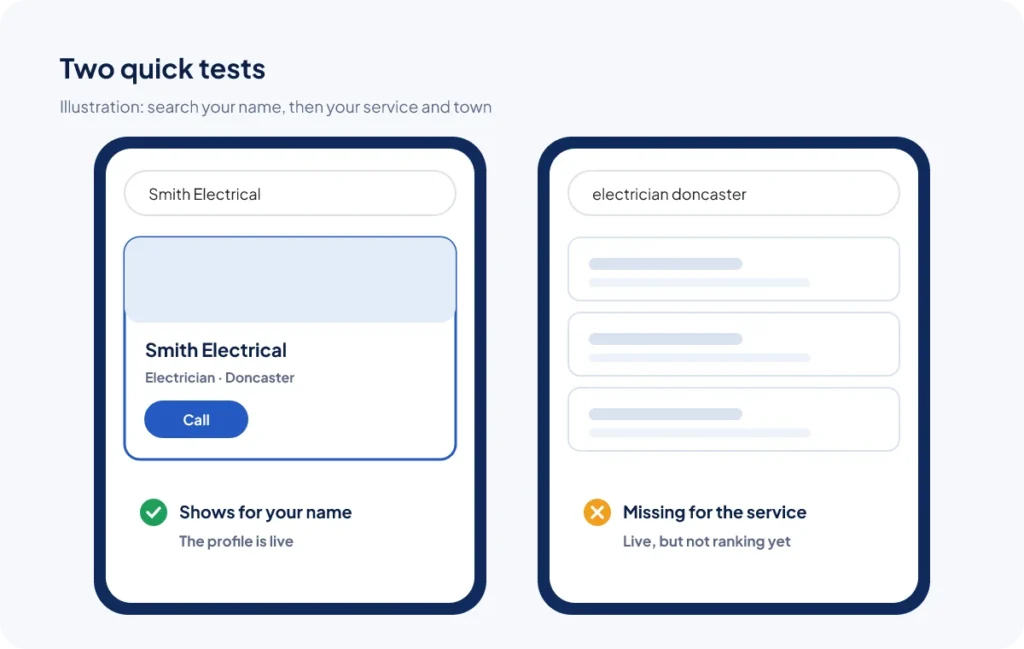
Before you change anything, do two quick tests on your phone with location turned on, in a private or incognito browser window:
- Search your exact business name. Does your profile appear on the right (desktop) or at the top (mobile)?
- Search your main service and town, for example “electrician Bradford”. Do you appear in the map results?
If you appear for your name but not for the service, your profile is live but is not ranking yet. Skip to reasons 7 to 12. If you do not appear even for your name, start with reasons 1 to 6.
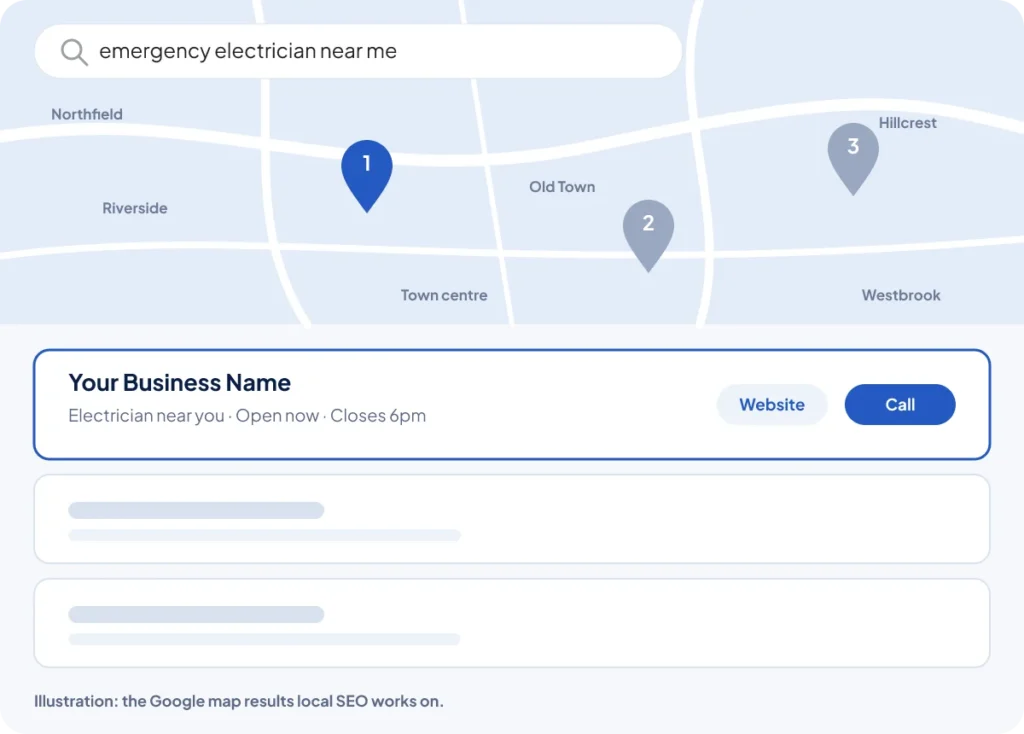
Problems that hide your profile completely
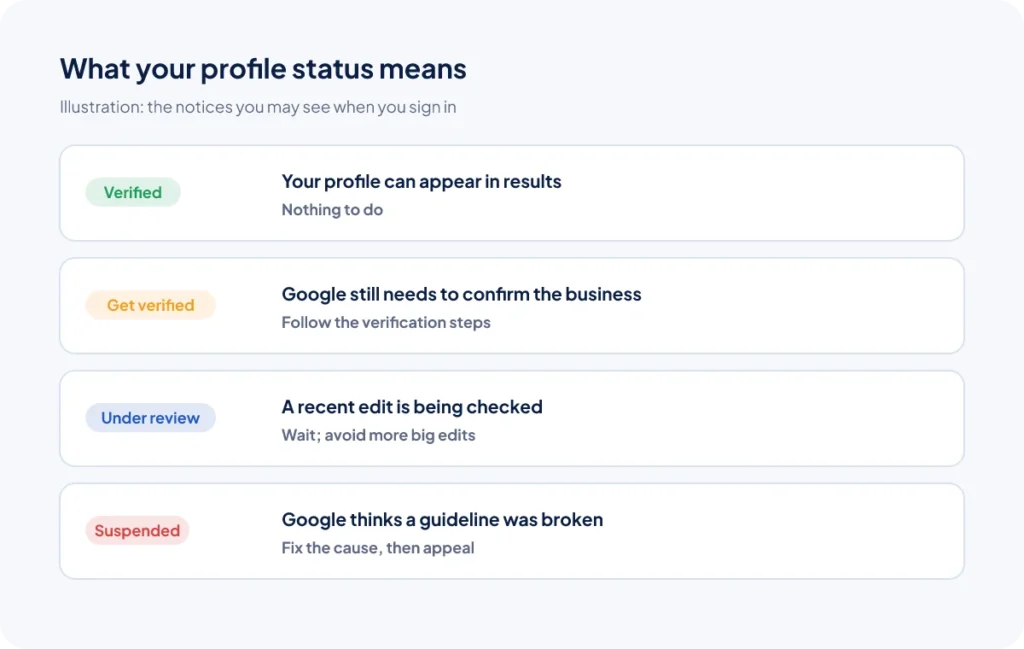
1. Your profile is not verified
Google says verified businesses are more likely to appear in results. Sign in to your Business Profile and check for a “Get verified” message. Follow the steps Google gives you; depending on your business this can be a video, a phone call, a text, an email or a postcard.
2. Your profile has been suspended
Google can suspend profiles that seem to break its guidelines. You will usually see a notice when you sign in. Common triggers are keywords in the business name, a virtual office address, or big changes made all at once. Fix the issue, then request a reinstatement through Google’s appeal form, with evidence such as a utility bill or business licence.
3. A recent edit is under review
Changing your name, address, category or phone number can send your profile back for review. It may disappear or show old details for a while. Make important changes one at a time, and avoid editing again while a review is pending.
4. There is a duplicate listing
Old listings from a previous address, a former owner or an auto-generated listing can compete with your real one. Search Google Maps for your name, phone number and address. If you find a duplicate, use “Suggest an edit” and mark it as a duplicate, or ask Google support to merge or remove it.
5. Your address setup does not match how you work
If you visit customers, you should hide your address and set a service area. If customers visit you, your address must be a real place where you meet them during your opening hours. Virtual offices and PO boxes are not allowed.
6. The profile is very new
New or newly verified profiles can take a little time to settle in. Use that time to complete every section of your profile and add photos, so it is ready to compete when it starts showing.
Problems that stop your profile ranking
7. You are too far from the person searching
Distance is one of Google’s three main local ranking factors. A profile can rank well near your base and not at all on the other side of town. A business in the centre of Doncaster will naturally struggle to appear for someone searching from 15 miles away. A strong website with genuine pages about the areas you cover helps, but distance will always play a part.
8. Your primary category is wrong
Your primary category tells Google what you are. If a roofer chooses “Construction company”, they may never appear for “roofer near me”. Pick the most specific category that matches your main service.
9. Your profile is incomplete
Google says complete and accurate information helps you match more searches. Fill in your services, description, hours, attributes, photos and website. Answer the common questions people ask about your business.
10. Competitors have more (and newer) reviews
Reviews feed into prominence. If the three businesses in the map pack have hundreds of recent reviews and you have five from two years ago, you will struggle. Ask every happy customer for a review and reply to all of them.
11. Your website is not helping
Google looks at your website to understand what you do. A slow site, a single “Services” page, or no mention of the towns you serve all hold your profile back. A clear page for each service and area makes a big difference. Our web design team builds sites with this in mind.
12. Your business details do not match across the web
If your name, address or phone number differ between your website, Google, Facebook, Yell and other directories, search engines are less sure about you. Pick one exact version and use it everywhere.
Do not try to “trick” the map. Keyword-stuffed names, fake addresses and bought reviews might work for a few weeks, but they are a common reason for suspensions. Fixing a suspended profile takes much longer than doing it properly the first time.
A quick fix plan
- Sign in and check for any verification, suspension or review notices.
- Search Maps for duplicates of your name, phone number and address.
- Check your primary category and business name follow Google’s rules.
- Complete every section of your profile and add fresh photos.
- Make sure your website has a page for each service and area, with matching contact details.
- Start a steady routine of asking for reviews.
For the full list of what helps you rank, use our 25-step local SEO checklist.
Need a hand?
Sorting out Business Profiles is a big part of our local SEO service, from verification problems to duplicates and categories. We help businesses across the UK, including Huddersfield, Luton, Southampton and Aberdeen.
Still not showing on Google Maps?
Send us your details and we will check your profile, find what is holding it back and send you a free proposal to fix it.
Frequently asked questions
Why does my business show when I search the name but not the service?
That means your profile is live but not ranking for wider searches yet. Google ranks local results on relevance, distance and prominence, so work on your categories, services, reviews and website to compete for searches like “service near me”.
How long does Google take to show a new Business Profile?
It varies. Some profiles show within days of verification, others take longer. Complete every section and add photos while you wait, so the profile is ready to compete.
Can I use my home address on Google Business Profile?
Yes, if you work from home. If customers do not visit you there, hide the address and set a service area instead, so your home address is not shown publicly.
Why did my Google Business Profile disappear after I edited it?
Changes to key details such as your name, address or category can trigger a review. Your profile may be hidden or show old details until the review finishes. Avoid making several big changes at once.
Will paying for Google Ads help my profile show on Maps?
No. Google says you cannot pay for a better local ranking. Ads appear in their own labelled spaces and stop when you stop paying.