In short
You probably need a new website if it is slow or awkward on a phone, does not make it obvious what you do, where, and how to contact you, looks dated, has no padlock, lumps every service onto one page, or simply does not bring in enquiries. Sometimes a refresh is enough; if several of the 10 signs below apply, a rebuild usually costs less in the long run than the customers you are losing.
Your website works for you 24 hours a day, or against you. Many business owners have not looked at their own site properly in years, and do not realise how many people leave it without calling.
Here are the signs that your website is costing you customers, and what to do about it.
10 signs you need a new website
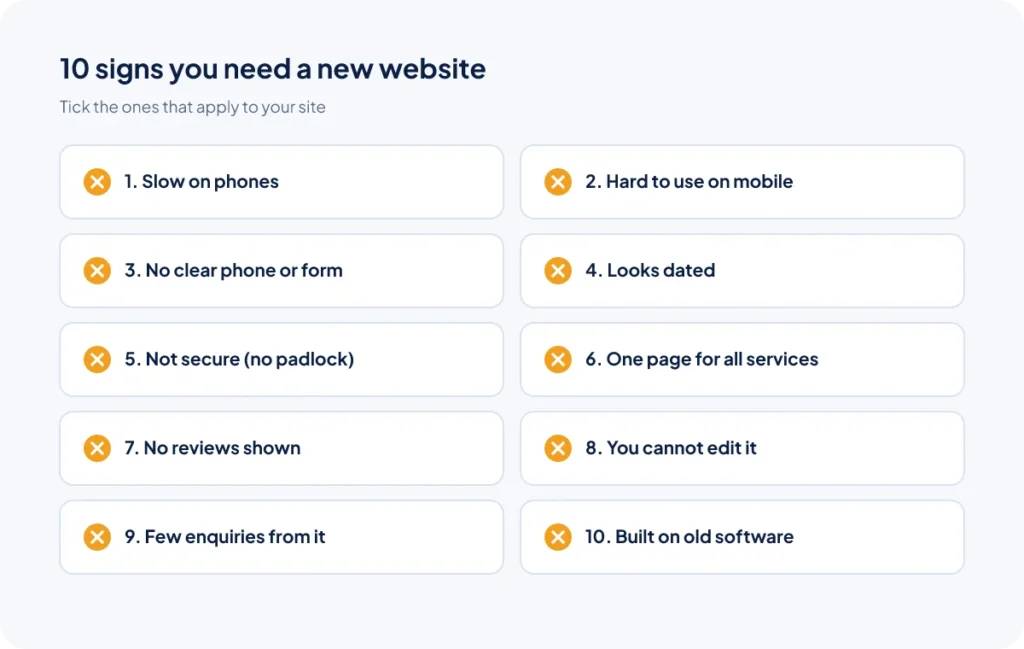
1. It is slow on phones
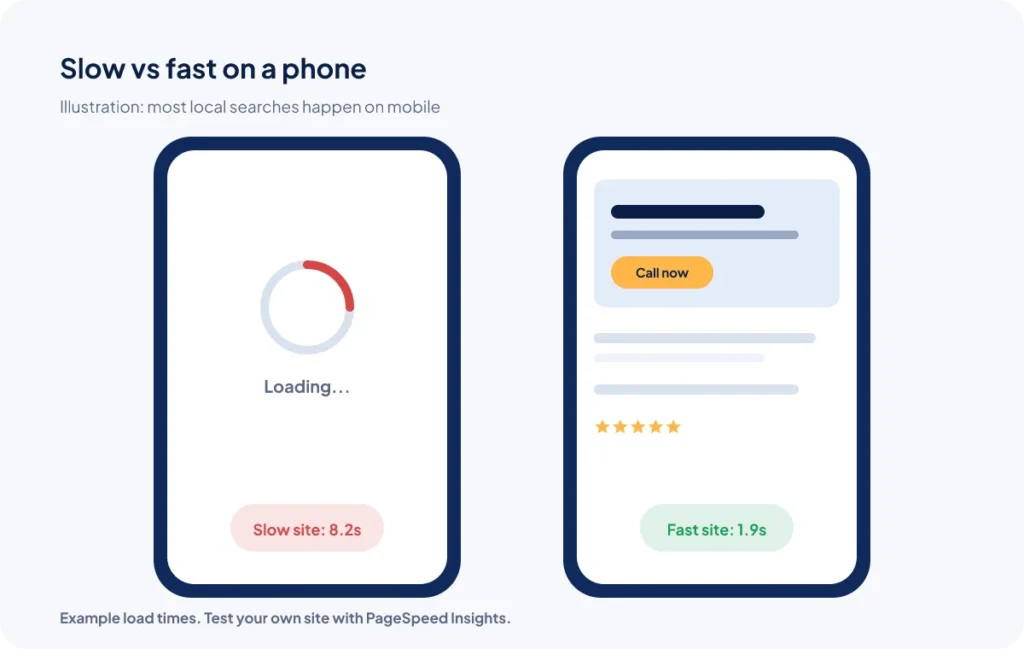
Most local searches happen on mobile. If your pages take several seconds to appear, many people give up and go back to Google, straight to a competitor.
2. It is hard to use on mobile
Tiny text, buttons too close together, or pages that need pinching and zooming. If you have to squint to use your own site, so do your customers.
3. There is no clear phone number or form
Visitors should be able to call or request a quote within seconds, from any page. If your number is hidden at the bottom of the contact page, you are losing calls.
4. It looks dated
People judge a business by its website in seconds. An old design suggests an old business, even if your work is excellent.
5. It is not secure
If browsers show “Not secure” next to your address, visitors may leave before they read a word. Every site should use HTTPS.
6. Every service is on one page
One long “Services” page makes it hard for Google to match you to specific searches. A page for each main service helps you show up for each one. See our guide to local SEO for tradespeople for how this works.
7. It does not show reviews or real work
Reviews, photos of real jobs and accreditations build trust. Stock photos and no proof make visitors hesitate.
8. You cannot update it yourself
If changing your opening hours or adding a photo means emailing someone and waiting a week, your site will always be out of date.
9. It does not bring enquiries
The clearest sign of all. If your website gets visitors but few calls or forms, something is putting people off. If it gets no visitors at all, it probably is not set up for search.
10. It is built on old or unsupported software
Outdated themes, plugins or platforms can be slow, break easily and create security risks.
A 5-minute test you can do now
- Open your website on your phone, using mobile data rather than Wi-Fi. How long does it take?
- Pretend you are a new customer. Can you tell what you do and where within five seconds?
- Try to contact yourself. How many taps does it take to call or send an enquiry?
- Run PageSpeed Insights (free from Google) on your home page and look at the mobile score.
- Search your main service and town. Does your site appear on page one?
What a website that brings enquiries includes
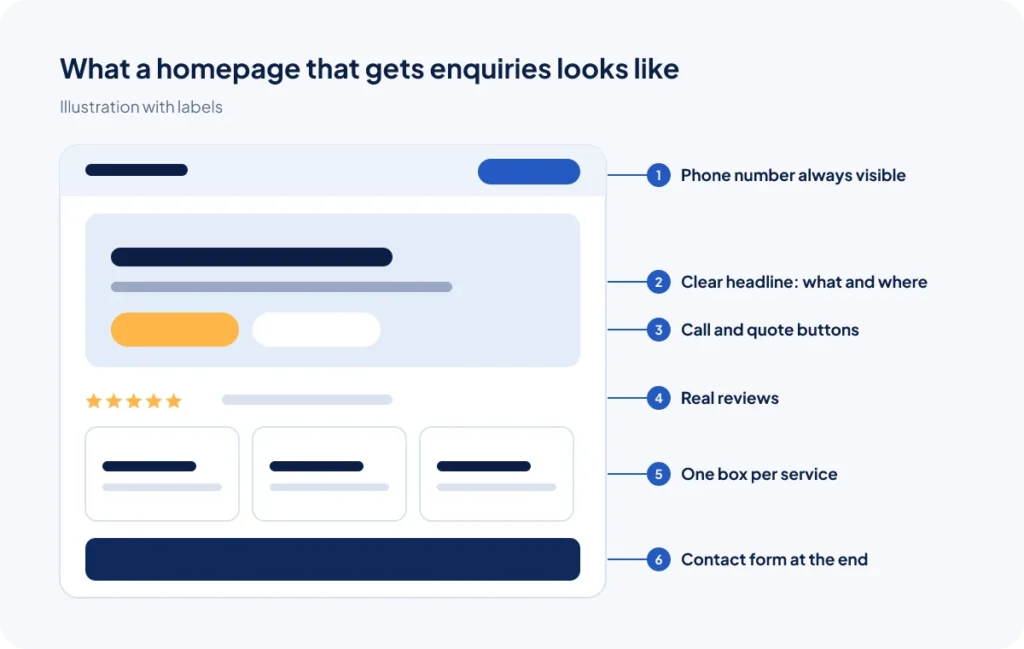
- A clear headline saying what you do and where.
- Your phone number and a quote button visible at all times.
- A page for each main service and each main area.
- Real reviews, photos and accreditations.
- Fast loading on mobile.
- Simple editing, so you can keep it up to date.
- Search basics built in: titles, structure, schema and speed.
Refresh or rebuild?
If your site is fairly modern and just has a few problems (missing pages, slow images, weak headlines), a refresh may be enough. If it is slow, hard to edit and ticks several of the signs above, a new site is usually the better investment. Before you rebuild, make sure your old page addresses are redirected properly so you do not lose existing rankings.
Keep your rankings when you switch. A new website should keep or redirect every important old address. Skipping this step is one of the most common reasons businesses lose Google traffic after a redesign.
Our web design and development and WordPress website design services build fast, easy-to-edit sites with SEO built in from day one. If your site is fine but not ranking, a technical SEO check may be all you need; see what technical SEO covers.
Not sure if you need a new website?
We will review your current site for speed, mobile use, search and enquiries, and send you a free proposal with an honest recommendation: refresh or rebuild.
Frequently asked questions
How often should a business website be redesigned?
There is no fixed rule. Many businesses refresh their site every few years, but the better test is whether it is fast, easy to use on a phone, secure, easy to update and bringing in enquiries.
Will a new website hurt my Google rankings?
It can if old page addresses are not redirected properly. Done carefully, with redirects and the same or better content, a new website usually helps rankings.
How fast should my website load?
As fast as possible on a phone. Google’s Core Web Vitals treat a main content load (LCP) of 2.5 seconds or less as good. Test your site with PageSpeed Insights.
Is WordPress good for a small business website?
Yes, for most small businesses. WordPress is flexible, widely supported and easy to edit, as long as it is built well and kept up to date.
Can I just improve my current website instead?
Often, yes. If the site is modern and only has a few issues, a refresh of pages, speed and content can be enough. If it is slow, outdated and hard to edit, a rebuild usually costs less in the long run.